

Author with agents
manim-marimo ships an agent skill beside marimo-studio's. A coding agent reads both, writes the notebook's computation in marimo cells, writes the scenes and the page, renders them in Studio, and checks the movies.
Paste this request into Claude Code, Codex, or another terminal agent, from the folder of a notebook set up for manim-marimo:
Read the marimo-studio and manim-marimo skills with
`uvx --with manim-marimo agent-plugins read <name>`,
then create a notebook that explains Fourier series and an Animation view
that draws a square wave from rotating vectors.
agent-plugins prints a skill that a Python package ships. marimo-studio's skill covers connecting to the running notebook, creating views, building, and browser checks. manim-marimo's skill adds the scene contract: literal reads, renderable defaults, one scene per file, and how to verify a rendered movie.
What the agent works with
| Source | Teaches |
|---|---|
agent-plugins read marimo-studio | Notebook pairing, view creation, builds, preview URLs, browser checks |
agent-plugins read manim-marimo | Scene reads, defaults, render hosts, quality, render diagnostics |
AGENTS.md in the view project | The files of this view and who owns what |
Studio shows AGENTS.md in Source, so the agent and the author read the same instructions.
Point at a shape with Lens
Lens lets you select part of Studio's preview and attach a note for the agent. Add it to the notebook's dependencies, then restart Studio:
# dependencies = [
#     "manim-marimo[render]",
#     "marimo-lens>=0.2.4",
# ]
Preview shows a Lens dock. Click Select and click a shape in the movie, such as one person in the epidemic example. The selection names the shape, dot: Dot, the read it shows, such as people[17], the scene line that created it, and the notebook cell that computed the read. Targets follow the shapes as the movie plays, so pause on the frame you mean.
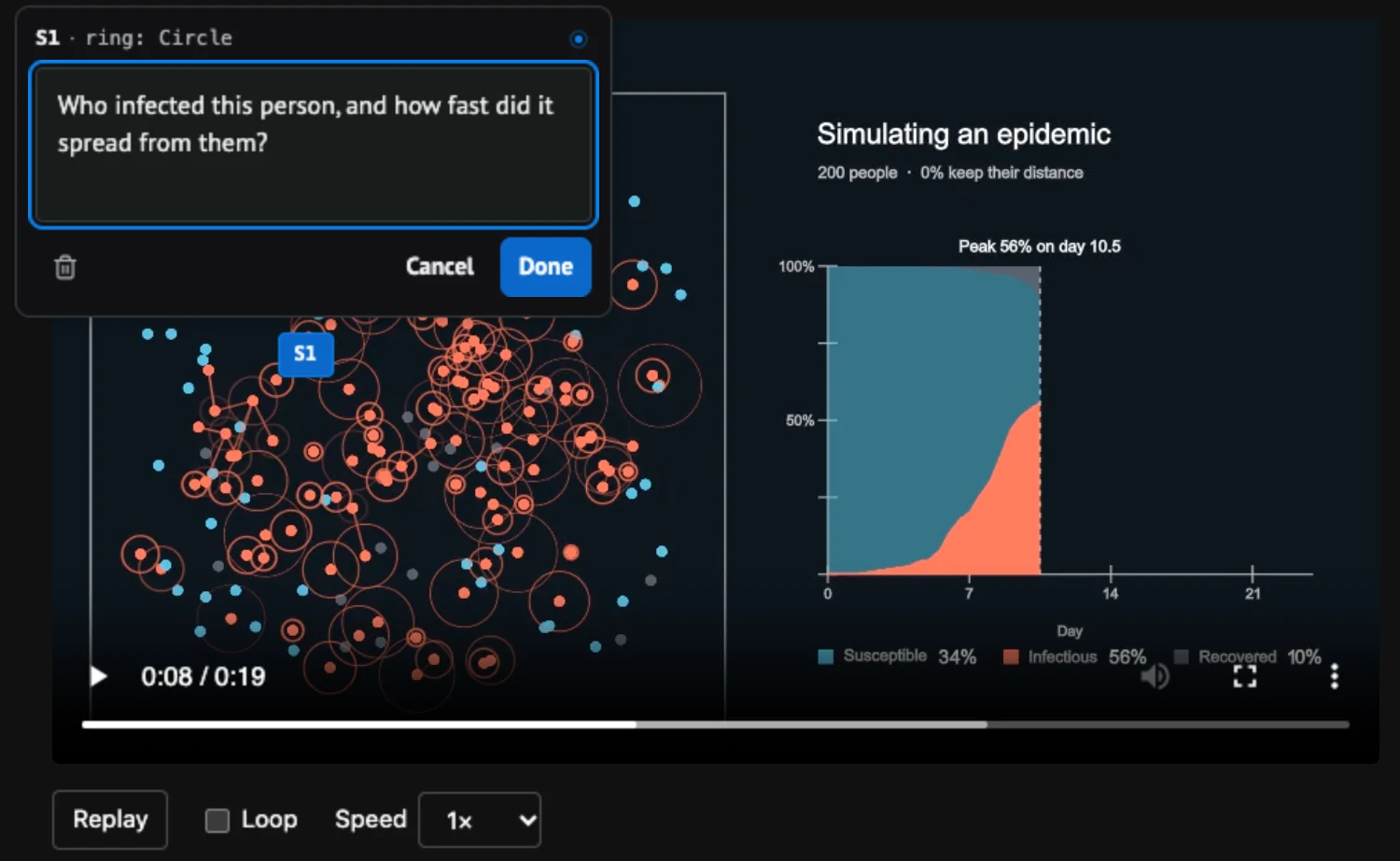
Then ask:
Use Lens to address my current selection in this Studio view.
Create the view from code
Inside notebook code mode, an agent creates the view from the provider's starter:
import marimo_studio

workspace = marimo_studio.agent.current_workspace()
view = await workspace.create_view("animation", starter="manim-marimo/manim:default")
await view.build()
print(await view.preview_url(runtime="server"))
Diagnostics an agent repairs
Inspection and builds report problems at the author's source line, so an agent can open the file and fix it:
| Code | Meaning |
|---|---|
manim-read-dynamic | A read's target is not a string literal |
manim-scene-missing | A render host names a scene file that does not exist |
manim-source-invalid | A Python file in the project does not parse |
manim-render-failed | The scene raised, either in the build check or in a render |
Provider reference lists every code.